The Vault
Summary
A personal backup and restore tool for Mod Organizer 2. Wabbajack-inspired, but built for one purpose: backing up your own setup and putting it back on a fresh machine with a tiny backup and zero FOMOD clicking.
License
Tags
Language

The Vault
MO2 Modlist Vault - Personal Backup & Restore for MO2
A personal backup and restore tool for Mod Organizer 2. Wabbajack-inspired, but built for one purpose: backing up your own setup and putting it back on a fresh machine with a tiny backup and zero FOMOD clicking.
This is a finished, as-is release. No support.
virustotal.com permalink:
https://www.virustotal.com/gui/file/2f68901dc503abe426ca256bcfbe44c4faeb5314e093fb288d307f090b5ba798
IMPORTANT - Personal Use Only
This is a personal backup tool. It is NOT for distributing modlists.
It works like Wabbajack - it does not bundle or re-distribute mods. It saves a recipe of how your setup was built, and on restore it re-downloads everything from the original source using the official Nexus API. No mod files are included in the recipe itself.
- Do NOT share, upload, or distribute backups that contain other authors' mods.
- Do NOT upload your backup zips. Small amounts of raw content that can't be re-downloaded (your own custom edit, BodySlide output, a patched exe) may be included and you are responsible for it.
- You must own and have permission to download everything it restores. No piracy, no paywall bypasses.
- I take no responsibility for how you use it. Respect mod authors and Nexus ToS. Use at your own risk.
What it does and why
Zipping a whole instance is a waste - most of it is stuff you can just re-download from Nexus.
Vault figures out for every installed mod which files came from which archive in your downloads/ folder by matching by content hash, not filename. It saves that mapping. On restore it replays it: re-download the archive if needed, extract, copy the right files into place. No installer ever runs.
Features
- Zero FOMODs on restore - everything is rebuilt from hash-matched recipes
- Small backups - only stuff with no download source is bundled raw
- Full MO2 capture - MO2 itself + third-party plugins, your tools/ folder (xEdit, DynDOLOD, Synthesis, BodySlide, etc. including multi-archive tools), profiles, INIs, load order, BethINI cache, highlight colors, and Stock Game overlay if you use one
- Game-agnostic - validated on Skyrim SE and Fallout 4
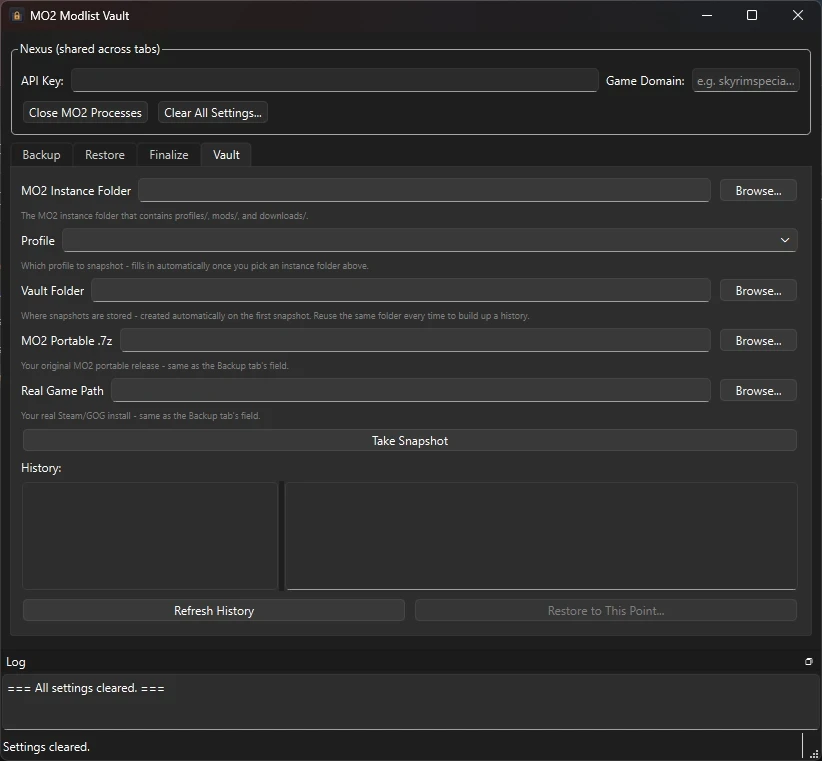
- Vault - Time Machine-style snapshots. Deduplicated storage - unchanged files are only stored once. Each snapshot has a changelog and can be restored independently
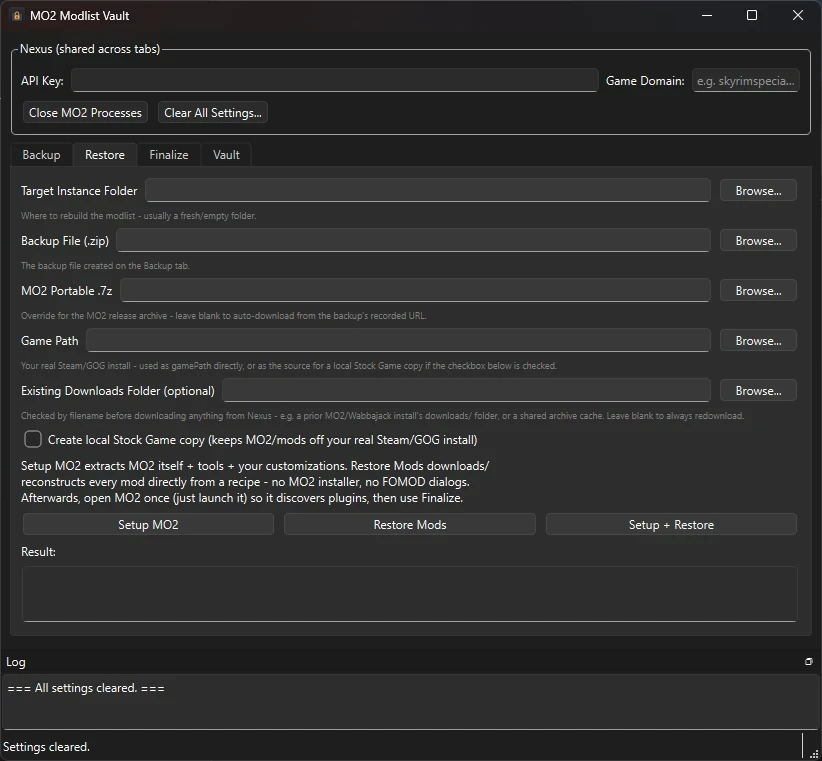
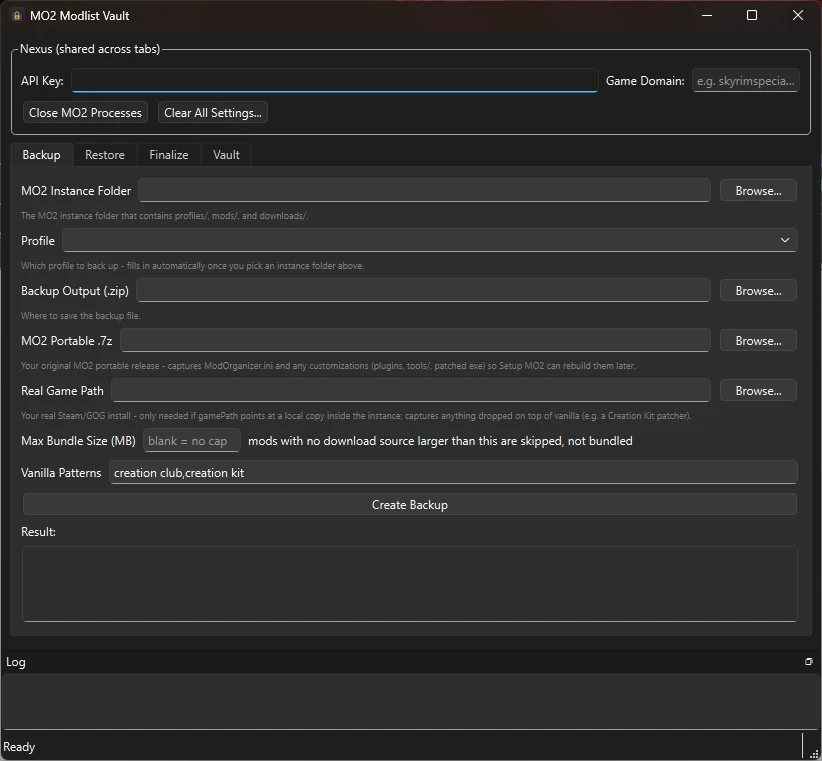
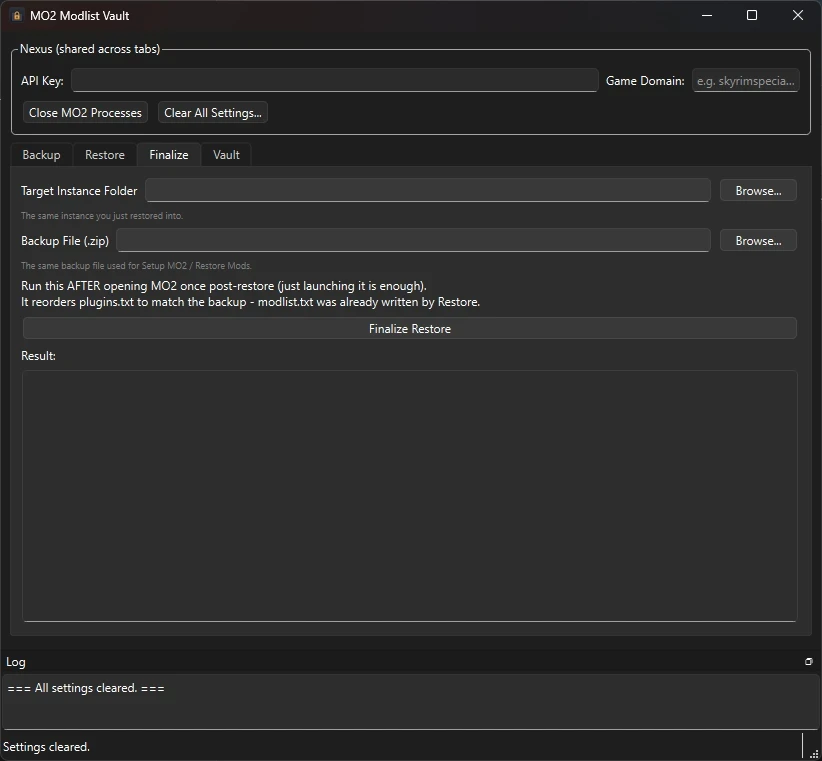
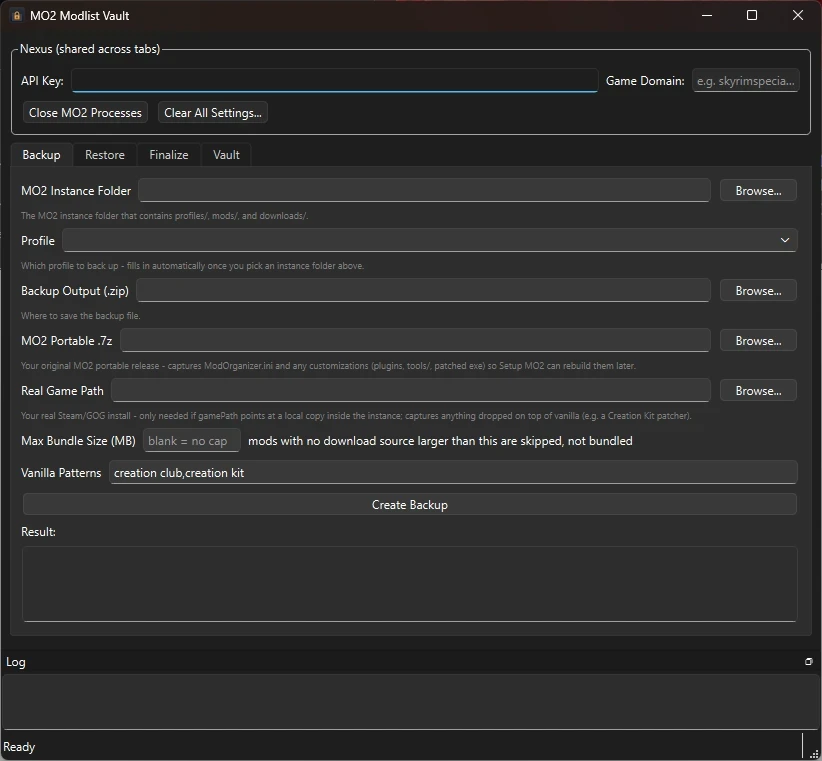
- GUI + CLI - Backup / Restore / Finalize / Vault tabs with a persistent log, and full CLI via the same exe
- Vault Integrator - companion MO2 plugin adds a one-click "Create Restore Point" button inside MO2
Installation
Extract the contents to your preferred Tools location and run
mo2-modlist-vault.exeNo Python or extra setup needed.
How to use
Backup:
Instance folder -> Output zip -> Your MO2 portable.7z -> Real game path if you use a Stock Game folder -> Hit Backup
Restore on a fresh machine/folder:
Target empty instance folder -> Your backup.zip -> Real game path -> Setup + Restore -> Open MO2 once so it sees the plugins, close it -> Finalize
If you get a permission error, MO2 or
usvfs_proxy_*.exeis still running. Use the Close MO2 Processes button.
Vault:
Same as Backup but also set a Vault Folder. First snapshot is full, after that only new/changed content is saved. You can browse the timeline and Restore to This Point.
All GUI actions also have CLI commands:
backup, setup-mo2, restore, finalize-restore, vault-snapshot, vault-list, vault-materialize. Run the exe with --help to see flags. Full walkthrough is in QUICKSTART.md on GitHub.
Known Limitations
- MO2 has to be fully closed to restore
- Vault snapshots re-hash everything each time right now, so big lists take a while - that's normal
- Vaults only grow, there's no pruning of old blobs
Settings are stored locally at
%LOCALAPPDATA%\mo2-modlist-vault\settings.json. You can clear them any time from the GUI.
The Vault MO2 Integrator
A companion MO2 plugin for The Vault - adds a one-click **Create Restore Point** button inside MO2 itself, so you never have to leave MO2 to take a vault snapshot.
A companion MO2 plugin for The Vault - adds a one-click **Create Restore Point** button inside MO2 itself, so you never have to leave MO2 to take a vault snapshot.
It does not embed any of `mo2-modlist-vault`'s own logic (PySide6, py7zr, the backup/vault
code) inside MO2's Python environment - it shells out to a separately-built
Installation
1. Extract into MO2 Plugin Folder
2. Copy this whole folder into your MO2 instance's `plugins/` directory, e.g.:
`\plugins\MO2 Vault Integration\`
3. (Re)start MO2.
Setup
1. Find the padlock toolbar icon (or "Vault Restore Point" under the Tools/wrench menu if the
toolbar icon didn't land where expected).
2. Click **Settings...** and set:
- **Tool Folder** - the folder containing `mo2-modlist-vault.exe`.
- **Vault Folder** - where you want this instance's snapshots stored (created automatically
on first use).
Both are stored per-instance, inside that instance's own `ModOrganizer.ini` (MO2's normal
plugin-setting mechanism) - no separate config file, and no risk of one MO2 instance's
settings bleeding into another's.
Usage
- **Create Restore Point** - takes a vault snapshot right now, without closing MO2. Runs in
the background (the toolbar icon shows a spinner while it's working); a popup shows the
result (snapshot ID + changelog summary) when it's done. Instance folder, active profile,
and real game path are all read live from MO2 itself on every click, so there's nothing
else to keep in sync or let go stale.
- **Open Vault** - launches the full `mo2-modlist-vault` desktop app (e.g. to browse snapshot
history, or to restore). Restoring still requires MO2 to be closed first - the desktop
app's own "Close MO2 Processes" button handles that.
What this plugin deliberately does *not* do
Restore. Restoring writes directly into the live instance folder and needs MO2 (and its
helper processes) closed first - not something safe to trigger from inside MO2 itself. Use
the standalone `mo2-modlist-vault` GUI/CLI for restoring; this plugin's only job is one-click
snapshot creation while you're actively modding.